Parallel Deployments
Deploy to multiple targets simultaneously. Parallel execution cuts deployment times and costs by up to 50%.
DRM-CLI unifies database release management across MSSQL, PostgreSQL, and Oracle — with built-in AI integration, AES encryption, and parallel multi-target deployments.
npm install -g @d-band-drm/drm-cli
$ drm-cli deploy -c production -r 11 --dryrun
INFO - Starting DRM DryRun (Release ID: "11", Connection: "production")
INFO - Building release...
INFO - Build finished successfully!!!
INFO - Upgrade script generated successfully!!!
INFO - DRM DryRun finished successfully!!!
$ drm-cli deploy -c production -r 11 --deploy
INFO - Deployment completed successfully!!!
$ █
Most teams manage database releases with a mix of platform-specific tools, hand-written scripts, and tribal knowledge. It works — until it doesn't. DRM replaces the pile with one tool that works the same way across every platform.
Stop duct-taping separate tools, custom scripts, and manual processes together. DRM handles the full release lifecycle — from dryrun preview to parallel multi-target deployment — in a single command.
Deploy to multiple targets simultaneously. Parallel execution cuts deployment times and costs by up to 50%.
Preview deployments before executing with --dryrun. Use --align to sync a target DB to a known release state without a full deploy.
Native support for MSSQL, PostgreSQL, and Oracle. Integrates with Liquibase, Flyway, and SQLPackage — use the tools you already have.
Connection strings and the DRM database are AES-encrypted at rest. Sensitive parameters are masked in all log output.
When a deployment step fails due to a transient error — network timeout, lock contention, or a momentary DB outage — DRM retries automatically before escalating. No manual intervention, no half-applied releases left in an unknown state.
drm-cli is open source on GitHub. Install via npm or Python — one command gets you the full CLI.
Star on GitHubWorks with your existing stack
Databases
Migration Tools
Platforms
Three steps from zero to a production-grade database release pipeline — no additional infrastructure required.
Install drm-cli globally via npm. Works on Windows and Linux — npm path requires Python 3.10+ and Node.js; direct Python path requires Python 3.10+ only.
npm install -g @d-band-drm/drm-cli
Set up your DRM database folder, choose SQLite or JSON as the backend, and secure connection strings with AES encryption.
drm-cli install -f /opt/drm -d sqlite -p mykey
Run a dryrun to preview your release scripts, then execute against one or many database targets — in parallel.
drm-cli deploy -c prod -r 11 --deploy
drm-cli is a single scriptable command — no plugins, no agents, no extra infrastructure. Add it to any CI/CD step and get versioned, auditable database releases out of the box.
DRM enforces dryrun before every deploy — even in CI. Scripts are previewed, validated, and logged before a single change touches production.
name: Database Release
on:
push:
branches: [main]
jobs:
release:
runs-on: ubuntu-latest
steps:
- uses: actions/checkout@v4
- name: Install DRM
$ npm install -g @d-band-drm/drm-cli
- name: Load DRM config
run: |
mkdir -p ${{ vars.DRM_FOLDER }}
$ cp -r .drm/. ${{ vars.DRM_FOLDER }}/
✔ DRM config loaded
- name: DryRun — preview scripts
$ drm-cli deploy -c prod -r ${{ vars.RELEASE_ID }} --dryrun
INFO - Build finished successfully!!!
INFO - Upgrade script generated successfully!!!
- name: Deploy — execute release
$ drm-cli deploy -c prod -r ${{ vars.RELEASE_ID }} --deploy
INFO - Deployment completed successfully!!!
One command replaces your entire database release process. DRM manages versioned releases, connection catalogues, and deployment history across MSSQL, PostgreSQL, and Oracle — with no external infrastructure required.
drm-cli v1.2.1
Python-powered CLI — install globally with npm install -g @d-band-drm/drm-cli,
or run directly via Python using install.py. Works on Windows and Linux.
--dryrun
Generate SQL scripts without executing — preview before you commit
--deploy
Generate and execute the full deployment against the target
--align
Sync a target DB to the release state without a new deployment


# Install globally (npm or install.py)
$ npm install -g @d-band-drm/drm-cli
+ @d-band-drm/drm-cli@1.2.1 — 40 files
# Set up DRM with SQLite + encryption
$ drm-cli install -f /opt/drm -d sqlite -p mykey
✔ DRM installed successfully
# Preview a release before deploying
$ drm-cli deploy -c dev -r 11 --dryrun
INFO - Build finished successfully!!!
INFO - Upgrade script generated!!!
# Execute the deployment
$ drm-cli deploy -c dev -r 11 --deploy
INFO - Deployment completed successfully!!!
$ █
Integrate drm-cli into CI/CD pipelines as a single scriptable command — no extra tooling required.
Manage heterogeneous environments — MSSQL, Oracle, PostgreSQL — from one unified interface on any OS.
Enforce governance and compliance across complex multi-team data ecosystems with encrypted connection management.
DRM ships five interaction modes — from direct terminal commands to AI agents that orchestrate deployments autonomously using Claude.
npm install -g @d-band-drm/drm-cli
Human-operated · CI/CD friendly
Direct terminal control. Scriptable, deterministic, no dependencies beyond Python. Best for automation pipelines and production deployments.
drm-cli deploy -c prod -r 11 --deploy --trace
Claude-operated · 8 tools exposed
Exposes 8 DRM tools to Claude Code and Claude Desktop via the Model Context Protocol. Claude calls DRM operations autonomously mid-conversation.
Natural language · Multi-step autonomous
Tell DRM what you want in plain English. The agent interprets your request, selects the right tools, and orchestrates multi-step workflows — including automatic dryrun before every deploy.
Global install
drm-cli agent "deploy release 11 to dev"
From project root (cloned repo)
npm run agent -- "deploy release 11 to dev"
Guided workflows · Interactive confirm
Pre-built slash commands inside Claude Code that guide you through deployment with structured output and confirmation steps before execution.
/drm-status — health check
/drm-release [id] — list or detail
/drm-plan conn rel — dryrun plan
/drm-deploy conn rel — guided deploy
Human-operated · npm native
Run DRM via npm from within your project — no global install required. Ideal for teams embedding DRM into existing npm-based toolchains.
npm run drm -- deploy -c prod -r 11 --deploy
| Mode | Operated by | Best for | Safety |
|---|---|---|---|
CLI |
Human | Scripts, CI/CD, debugging | Manual |
npm |
Human | npm users, quick setup | Manual |
MCP |
Claude | Claude Code integration | Manual confirm |
Agent |
Claude | Complex multi-step workflows | Auto dryrun first |
Skills |
Claude (guided) | Interactive team deploys | Interactive confirm |
After years of managing enterprise data releases across disconnected tools — custom scripts, platform-specific runners, and manual coordination — Alexey and Eli built the tool they always wished had existed. DRM is the result: one CLI that handles what used to take three.
We believe data management should be centralized, seamless, and efficient — unifying MSSQL, PostgreSQL, and Oracle under one CLI, with a single source of truth for your release history and connection catalogue.
DRM-CLI replaces DIY scripts, multiple apps, and manual coordination with a single, open-source tool that works from the terminal or through Claude.
Every feature in DRM was designed by DBAs who lived the problem — not product managers guessing at it. The result is a tool that fits how database teams actually work.
AES encryption, masked credentials, and encrypted connection storage aren't add-ons — they're built into the core. Security isn't a tier, it's the baseline.
We shipped the full CLI free and open source before asking for anything. If DRM doesn't earn your trust by being useful first, the enterprise tier doesn't matter.
See how DRM compares to the tools teams typically stitch together before finding a unified solution.
| DRM | Manual Scripts | Liquibase | Flyway | |
|---|---|---|---|---|
| Multi-platform (MSSQL + PG + Oracle) | ✓ | Partial | ✓ | ✓ |
| Single unified CLI | ✓ | ✗ | ✗ | ✗ |
| AI agent / natural language | ✓ | ✗ | ✗ | ✗ |
| AES encryption at rest | ✓ | ✗ | ✗ | ✗ |
| DryRun preview mode | ✓ | ✗ | ✓ | ✓ |
| Parallel multi-target deploy | ✓ | ✗ | ✗ | ✗ |
| CI/CD ready (one command) | ✓ | Partial | ✓ | ✓ |
| Free & open source | ✓ | ✓ | Partial | Partial |
Real deployments, dryrun walkthroughs, and feature demos — straight from the D-Band team.
DRM is trusted by database and DevOps teams managing complex multi-platform release pipelines.
★★★★★"We were juggling Flyway for Postgres, a custom MSSQL script runner, and manual Oracle exports. DRM replaced all three. One install, one config, one command — and we finally have a single audit trail for every release across every environment."
★★★★★"We had a release go sideways on a Friday afternoon — wrong script, wrong target. After adopting DRM, dryrun is mandatory before every deploy. We've had zero production incidents in the six months since. The peace of mind alone is worth it."
★★★★★"Our team isn't made up of CLI experts. With DRM's AI agent, they just describe what needs to happen — 'deploy release 14 to staging' — and it handles the dryrun, the checks, and the deployment. We went from hour-long release calls to a five-minute async process."
Metadata and discoverability update — expanded npm keywords and full CHANGELOG added.
Now published on npm as @d-band-drm/drm-cli@1.2.1.
Full AI integration ships as standard — MCP Server exposing 8 tools to Claude,
natural language AI Agent, and Claude Code skills. Also adds WSL2 compatibility and
the scoped npm package @d-band-drm/drm-cli.
Full support for Oracle and PostgreSQL added — including Liquibase and Flyway integration. The release that made DRM truly multi-platform.
View on GitHubThe first public release of drm-cli — SQL Server support with dryrun preview mode and core deployment functionality, built for enterprise DevOps teams.
View on GitHubDeploy and manage data releases directly within Kubernetes clusters — bringing DRM's unified release model to container-native environments.
A visual interface for building and managing data release workflows — drag-and-drop pipeline design across MSSQL, PostgreSQL, Oracle, and beyond.
Technical guides, product thinking, and lessons learned building DRM over 25+ years as DBAs.
 Founder Story
After 25+ years as DBAs, we kept seeing the same production incident — a deployment script that worked in staging, failed in production. Here's what we built to stop it.
Read article Technical Guide
A step-by-step walkthrough of drm-cli: installation, configuring releases in JSON, dry-run previews, parallel multi-target deployments, and CI/CD integration.
Read article Technical Guide
Oracle deployments have a reputation for being slow to set up and painful to automate. Here's how to pair drm-cli with Flyway for tracked, repeatable Oracle releases.
Read article Technical Guide
An open-source path to automated Oracle deployments — configuration, migration setup, and release execution with drm-cli and Flyway, no enterprise licensing involved.
Read article Technical Guide
Running PostgreSQL with Liquibase or Flyway? A seven-step walkthrough of deploying with drm-cli while keeping full release history and audit logs.
Read article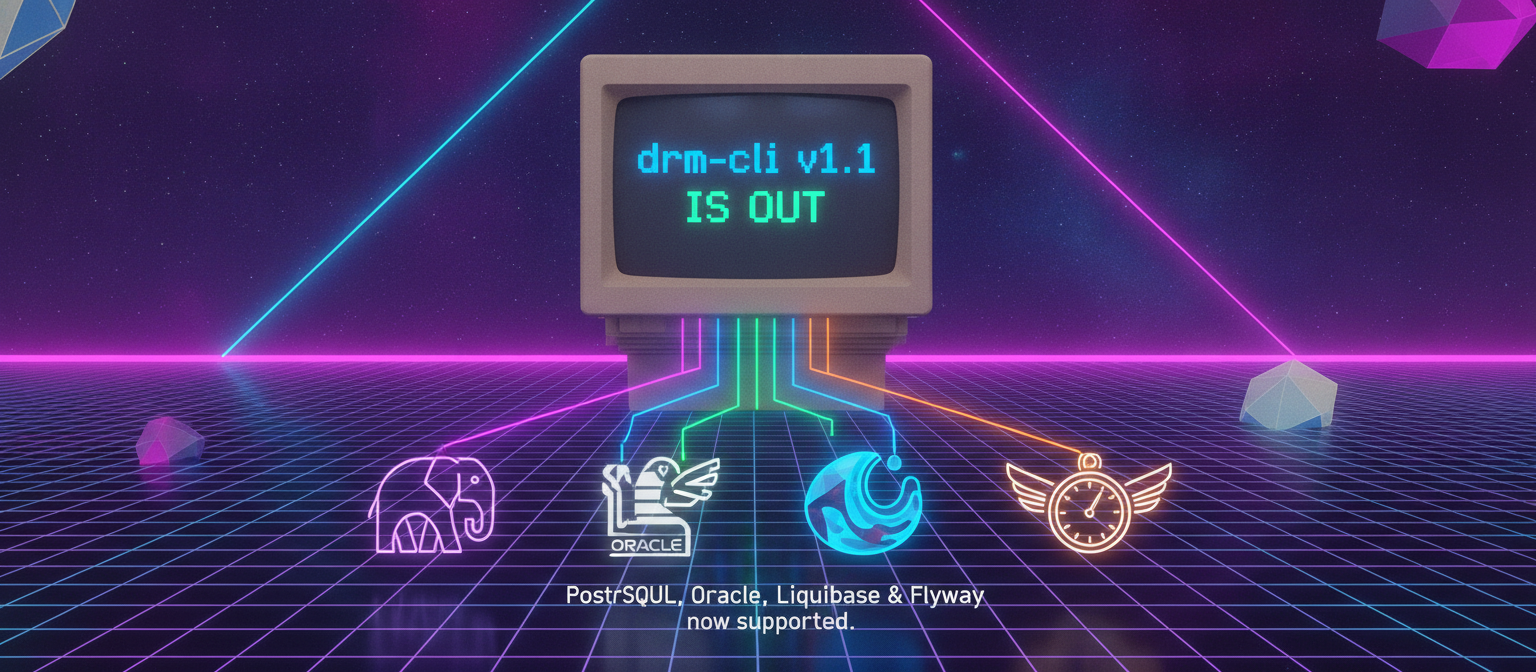 Release Notes
drm-cli v1.1 adds PostgreSQL and Oracle support via Liquibase and Flyway, encrypted credentials across multiple databases, and pre/post deployment scripting — fully backward-compatible with v1.0.
Read article Product Thinking
Liquibase and Flyway solve migration tracking, but not release management. Why we built drm-cli to close the gap on credentials, failure recovery, and cross-platform coordination.
Read article Founder Story
The first post from D-Band: who we are, the deployment-drift problems we kept hitting as DBAs, and why we're building drm-cli in the open.
Read article Community
After countless hours debugging deployment drift across environments, we're asking: what's the deployment problem that costs your team the most time?
Read articleStart with the open source CLI — upgrade to SaaS or on-premise Enterprise when your team is ready.
Self-hosted
$0 forever
Cloud-hosted
Per seat / month
On-premise
Custom pricing
We've both spent years working inside enterprises that paid for tools that didn't solve the problem. DRM exists because we needed it ourselves — and we believe the right way to build trust with a technical audience is to ship something genuinely useful, openly, before asking for anything in return.
The core CLI will always be free. SaaS and Enterprise tiers — hosted dashboards, on-premise installs, support SLAs, Kubernetes integration, DRM-Designer — are how D-Band sustains itself long-term.
— Alexey & Eli, Co-Founders
No. DRM wraps Liquibase, Flyway, and SQLPackage — your existing tools stay in place.
MSSQL, PostgreSQL, and Oracle are fully supported in v1.2.1.
Yes. All connection strings are AES-encrypted at rest and masked in every log output — credentials never appear in plain text.
Yes. DRM is a single scriptable CLI command — drop it into any pipeline step in GitHub Actions, Azure DevOps, Jenkins, or any other CI tool.
DRM can be installed two ways: via npm (npm install -g @d-band-drm/drm-cli) or directly via Python using install.py from the command line. Both Python 3.10+ and Node.js are required for the npm path; Python 3.10+ alone is sufficient for the Python install.py path.
Yes. The core CLI is open source and free forever. Enterprise tiers with SLA support and additional features are on the roadmap.
Schedule a walkthrough with one of the founders and see DRM in action against your environment.
Or reach us directly: dband.drm@gmail.com
Get notified about new releases, features, and D-Band updates.